
Streamlining Your Daily Life with Technology
In an age where time is of the essence, managing daily tasks efficiently is more important than ever. With the right tools, it’s possible to reclaim your time and improve productivity. Here, we explore how technology can become your best ally in organizing your life.
Why Use Task-Management Apps?
Task-management apps offer unique solutions to everyday challenges. Here are a few compelling reasons to consider integrating them into your routine:
- Enhanced Focus: By organizing tasks in one place, you can eliminate the chaos of sticky notes, scattered emails, and scattered thoughts. For instance, an app like Todoist compiles all your tasks into a single interface, helping you focus better on what truly matters.
- Time Management: These apps help you prioritize effectively, allowing you to allocate your time wisely. With features like deadlines and reminders, you can ensure that important tasks don’t slip through the cracks. For example, using a tool like Trello, you can visually manage your workload by categorizing tasks into “To Do,” “In Progress,” and “Completed,” giving you a clear snapshot of your priorities.
- Collaboration: Sharing tasks and projects with colleagues or family members can streamline efforts and improve teamwork. Apps like Asana allow teams to assign tasks to specific members, add comments, and track progress, which is especially helpful in remote work scenarios. This ensures everyone is on the same page and can contribute effectively.
Features to Look For
Choosing the right app is crucial for maximizing its benefits. Here are some key features to look for:
- User-Friendly Interface: A simple layout enhances usability and reduces the time you spend learning how to navigate the app. For example, the intuitive design of Microsoft To Do makes it easy even for technophobes to adopt it quickly.
- Integration Capabilities: Select apps that can integrate seamlessly with other platforms you use daily. For instance, an app like ClickUp allows you to integrate your email, calendar, and even time-tracking tools, offering a unified experience that can save you time and effort.
- Customization Options: Personalizing features to fit your unique workflow ensures the app meets your specific needs. Custom labels, color-coding tasks, or creating templates for repetitive projects gives you control over how you organize your responsibilities.
As you embark on this journey towards a more organized life, understanding the best apps available is essential. Research user reviews, try out free trials, and consider which features resonate most with your daily routines. With the right tools, you can streamline your tasks, enhance your productivity, and create more time in your day for what truly matters. Explore the possibilities that technology offers and take the first step towards a more efficient lifestyle.
DISCOVER MORE: Click here to unlock productivity secrets
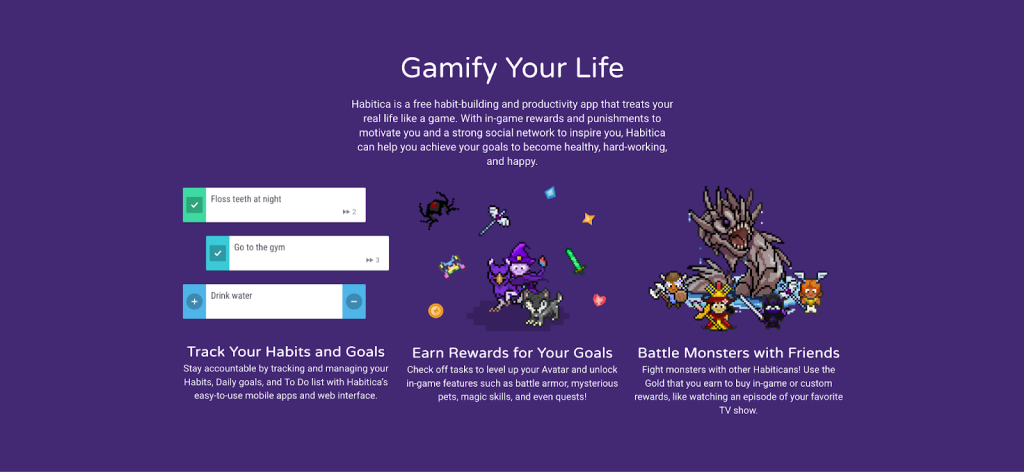
Popular Task-Management Apps to Consider
When it comes to organizing your life effectively, there are numerous apps available that cater to different needs and preferences. Here are some of the most popular options that can help you streamline your daily tasks:
- Todoist: Renowned for its simplicity and efficiency, Todoist enables users to create tasks, assign deadlines, and set reminders effortlessly. Its natural language processing feature allows you to type in tasks in a conversational way, making it easy to use. You can also categorize tasks into projects and sub-projects, further enhancing your organizational skills.
- Trello: Perfect for visual thinkers, Trello uses boards, lists, and cards to organize tasks. You can create specific boards for various projects, add team members, and use a drag-and-drop interface to monitor progress. Trello’s flexibility allows it to adapt to both personal to-do lists and complex project management needs, making it a versatile choice.
- Asana: Focused on team collaboration, Asana is ideal for managing group tasks and projects. It allows you to assign tasks to team members, set deadlines, and track completion all in one place. Asana’s rich feature set includes project timelines, workload management, and even integration with Slack to facilitate communication, thereby enhancing productivity.
- Microsoft To Do: This app is excellent for users already integrated into the Microsoft ecosystem. Microsoft To Do offers a straightforward interface, allowing you to create lists, set reminders, and prioritize tasks easily. The integration with Outlook tasks can be particularly beneficial for those in corporate environments, making it easy to keep track of work obligations.
- ClickUp: ClickUp is designed for those who appreciate all-in-one solutions. This app combines task management, time tracking, and goal setting into one platform. Its customizable features allow users to tailor the app to their specific workflows, and it offers various views, such as lists, calendars, and Gantt charts for project management.
These apps provide unique features that cater to diverse organizational styles and needs. As you begin exploring your options, consider what aspects of your life you want to streamline. Be it personal errands or team projects, the right app can significantly enhance how you manage your time and responsibilities.
Evaluating Which App Works Best for You
When deciding which app to incorporate into your daily routine, it’s valuable to evaluate your specific needs. Ask yourself questions such as:
- Do I need a simple task tracker, or am I managing multiple projects with teams?
- What devices will I be using the app on, and are there any compatibility considerations?
- How important are features like collaboration tools and integrations with other applications?
By assessing these factors, you will be better equipped to choose an app that not only boosts your productivity but also aligns with your lifestyle. With the influx of modern technology, the path to an organized life is at your fingertips, waiting for you to explore and take charge.
Optimal Task Management
In today’s fast-paced world, staying organized is more crucial than ever. With the right apps, you can streamline your daily tasks and effectively manage your time. These tools are designed to not only help you track your to-do lists but also enhance your productivity and focus.
| Category | Key Features |
|---|---|
| Task Management Apps | User-friendly interfaces, reminders, and project categorization. |
| Increased Productivity | Efficient tracking of tasks leads to better time management and focus. |
Additionally, many of these apps offer collaboration features, enabling multiple users to participate in projects seamlessly, which is particularly useful for teams. Integration with calendars and communication tools ensures that your daily operations run smoothly.
Customizable Features
Another significant advantage is the customization options available. Most task management apps allow you to tailor notifications and categories based on your personal workflow. You have the potential to explore various settings to optimize your experience, making organization not just practical but engaging.
Conclusion
As you dive into the world of apps designed for organization, remember that the right tools can significantly change how you approach daily tasks. With these applications at your fingertips, discovering a more efficient and organized life is just a download away.
DISCOVER MORE: Click here for essential apps that enhance your work-life balance
Innovative Features to Look For
As you explore various task-management apps, it’s crucial to understand the features that can enhance your user experience and productivity. Not all apps are created equal, and certain functionalities may cater more aptly to your unique needs. Here are some innovative features to consider when evaluating apps:
- Cross-Platform Synchronization: In today’s dynamic environment, you might switch between devices throughout your day, be it your smartphone during your commute or a tablet at home. Look for apps that offer real-time syncing across multiple platforms. This ensures that no matter where you access your tasks, you always have the latest updates.
- Customizable Notifications: The right app can help you stay on track without overwhelming you with reminders. Some apps allow you to customize how frequently and when you receive notifications. By tailoring notification settings, you can reduce distractions, focusing on what’s most important while staying reminded of urgent tasks.
- Recurring Task Options: For ongoing responsibilities, whether it’s a weekly meeting or monthly bill payment, apps with recurring task features can save you time. This lets you set a task once, with the app automatically populating the calendar for every occurrence, streamlining your workflow considerably.
Integrations That Enhance Functionality
Another key aspect to consider is how apps integrate with other tools you may already use. Effective collaboration often hinges on the ability to communicate seamlessly across platforms. Here are some notable integrations that could elevate your productivity:
- Calendar Integrations: Whether you use Google Calendar, Apple Calendar, or Outlook, these integrations allow you to view tasks and deadlines alongside your scheduled meetings and events. This visibility can prevent scheduling conflicts and keep your commitments organized.
- Email Integrations: Some apps enable you to convert emails into tasks with simple clicks, turning your inbox into a productivity powerhouse. This feature is particularly useful for individuals who handle numerous emails daily and want to ensure nothing falls through the cracks.
- Third-Party Integrations: If you frequently use tools like Slack, Zoom, or Google Drive, choose apps that allow for these interactions. Integrating these platforms ensures that your tasks, meetings, and responsibilities are connected, creating a holistic view of your workload and making communication more effective.
Finding the Right Fit for Your Workflow
As you consider the landscape of task-management applications, remember that the best choice ultimately depends on your working style and objectives. Are you a solo planner who thrives on simplicity, or do you manage multiple collaborative projects that demand a more robust solution? Identifying your personal workflow and preferences can help narrow down your options significantly.
Experimentation often yields the best results. Most apps offer free trials or basic versions, allowing you to test different features and functionalities. Take the time to explore the usability and efficiency of each platform without committing financially right away. Engaging in this trial-and-error process can lead to profound insights about what genuinely enhances your productivity.
By embarking on this journey toward finding the optimal app for your needs, you’re actively participating in organizing your life and maximizing your capability to manage daily tasks.
DISCOVER MORE: Click here to uncover effective time management strategies
Final Thoughts on Streamlining Your Daily Tasks
In a world where time is a precious commodity, organizing your life through effective task-management apps can serve as your secret weapon. As we’ve explored, the right app can transform chaos into clarity, whether you’re balancing work, personal commitments, or creative projects. With features like cross-platform synchronization, customizable notifications, and recurring task options, these apps cater to a variety of users, making it easier for you to maintain productivity, no matter your workflow style.
Moreover, integrations with platforms you may already use, such as calendars and email, further enhance the functionality of these applications, creating a seamless ecosystem for task management. The key lies in finding an app that resonates with your unique needs, empowering you to tackle challenges with confidence.
Remember, the journey towards an organized life doesn’t have to be overwhelming. With the multitude of options available, don’t hesitate to take advantage of free trials to discover the app that best fits your lifestyle. By actively participating in this exploration, you not only improve your productivity but also gain valuable insights into your personal work habits.
Ultimately, the quest to organize your life is less about finding a one-size-fits-all solution and more about creating a customized system that works for you. So dive in, experiment, and embrace the digital tools at your fingertips; a more organized and productive life awaits.
Related posts:
Unlocking Efficiency: Best Apps to Organize Your Life and Manage Your Time
Work Smarter: Top Apps for Remote Work and Money-Saving Strategies
Unlocking Remote Work Potential: Essential Apps That Streamline Collaboration and Task Management
Harnessing AI Tools for Productivity: Optimizing Your Workflow with Smart Applications
Maximize Your Productivity: The Best Free AI Tools for App Optimization
Remote Work Revolution: Essential Apps for Enhancing Efficiency and Collaboration

Beatriz Johnson is a seasoned digital lifestyle strategist and green tech writer with a passion for demystifying sustainable technology and eco-conscious living. With over a decade of experience at the intersection of innovation and sustainability, she specializes in topics like smart home solutions, renewable tech applications, and global trends in green digitalization. Through her work on our platform, Beatriz empowers readers to make informed choices about adopting planet-friendly technologies while optimizing their digital lives for both efficiency and environmental impact.