
Enhancing Your Productivity Through Effective Organization
In today’s fast-paced world, the demand for effective organization and productivity has never been higher. People juggle multiple responsibilities, both personal and professional, which necessitates an overhaul of how we manage our time and tasks. Fortunately, with countless apps available on the market, integrating technology into our daily routines can help streamline our commitments. However, as we embrace these advancements, it’s imperative to keep data security at the forefront of our minds, ensuring our personal information remains protected.
Harnessing the Power of Productivity Apps
Many applications are equipped with powerful features designed to help you optimize your time and tasks. Below are some prevalent categories with popular examples:
- Task Management: Tools like Todoist and Trello allow users to create to-do lists, set deadlines, and prioritize their workloads effectively. For instance, Trello employs a board and card system that visually represents project stages, making it easy to follow progress and collaborate with team members.
- Note-taking: Applications such as Evernote and Notion help organize thoughts and ideas. Evernote’s capability to sync across devices enables you to jot down spontaneous thoughts whenever inspiration strikes, while Notion’s customizable workspace supports task management, notes, and databases all in one place.
- Calendar Management: Both Google Calendar and Apple Calendar are instrumental in coordinating schedules. These apps send reminders for deadlines or appointments, integrate with other tools, and can even suggest optimal meeting times by analyzing all participants’ calendars.
Understanding Data Security Risks
While these tools can lead to a more organized life, it’s critical to remain vigilant about potential risks. The truth is that without robust security measures, sensitive information may be vulnerable to unwanted access or breaches, which can have serious consequences. For example, a recent study indicated that malware attacks on mobile apps have surged, emphasizing the need for heightened awareness among users.
Essential Tips for Securing Your Information
To safeguard your data while enjoying the benefits of productivity apps, consider these essential tips:
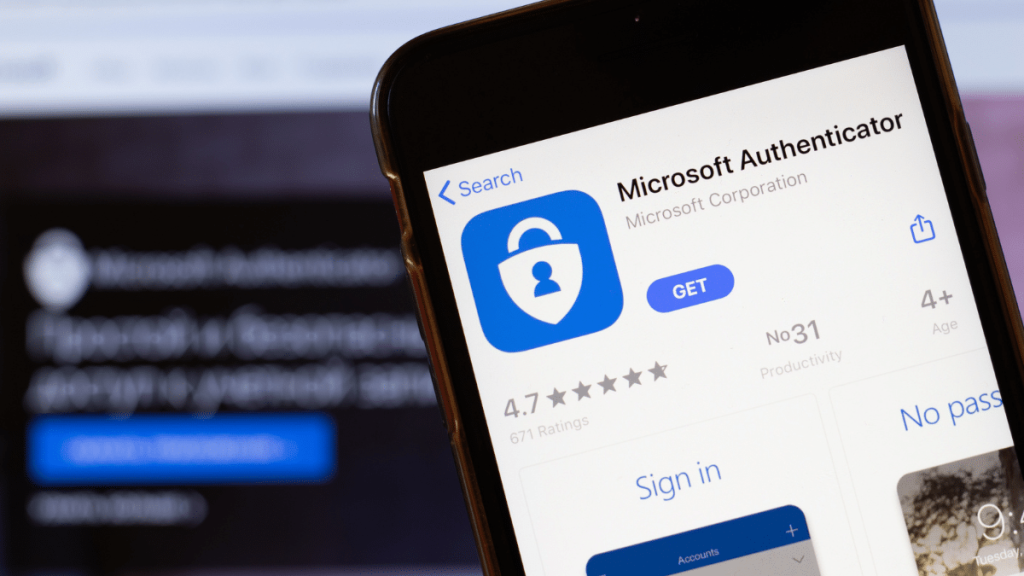
- Use Two-Factor Authentication: This adds an extra layer of security by requiring not just a password but also a verification code sent to your phone, making unauthorized access considerably more challenging.
- Regularly Update Apps: Cyber criminals frequently exploit outdated software. Ensure you have automatic updates enabled or periodically check for updates to protect against vulnerabilities.
- Be Wary of Public Wi-Fi: When accessing apps on public networks, always use a VPN to encrypt your internet connection, helping protect your data from interception.
By adopting a proactive approach to app security, you enhance not only your organizational efforts but also ensure that your personal information remains safe. With a little diligence, you can leverage the full potential of productivity apps while maintaining peace of mind about your data. As we delve deeper into the nuances of organizing your life, remember that security is just as essential as efficiency. Embrace technology, but never overlook the importance of protecting what matters the most—your personal information.
DISCOVER MORE: Click here to learn about the best time management apps
Utilizing Apps for Optimal Organization
In an age where smartphones and tablets are almost extensions of ourselves, leveraging productivity apps can substantially enhance how we manage our tasks. By utilizing these tools effectively, you can reclaim precious time and drastically improve your personal and professional life. Open yourself up to the myriad possibilities that arise from organizing your activities through technology. However, as exciting as these digital transformations can be, there are implications—specifically concerning data security—that must not be overlooked.
The Landscape of Productivity Apps
Productivity apps come in various forms, each serving specific organizational needs. Understanding the scope of these applications allows users to select tools that best fit their requirements. Here are a few categories and examples worth exploring:
- Habit Trackers: Applications like Habitica transform habit formation into a fun, game-like experience, encouraging users to stay committed to their goals. This gamification can drive motivation by rewarding positive behaviors through progress tracking.
- Finance Apps: Tools such as Mint and YNAB (You Need A Budget) empower users to manage their finances efficiently. They enable budgeting, expense tracking, and even bill reminders—all crucial for maintaining financial health.
- Collaboration Tools: Platforms like Slack and Microsoft Teams facilitate effective project management and communication, especially in remote work settings. These tools allow teams to share files, conduct video calls, and collaborate in real-time.
By utilizing these applications, you can foster a more structured workflow, freeing up both time and mental space to focus on what really matters.
Identifying Security Vulnerabilities
While the benefits of productivity apps are numerous, emerging threats pose a risk to the safety of your sensitive data. Cybersecurity experts estimate that over 300,000 malware attacks occur daily, with mobile apps being prime targets for data breaches. Users must remain conscious that convenience often comes at a cost—compromised data integrity. Understanding these risks empowers you to adopt proactive measures to safeguard your information.
Proactive Measures to Protect Your Data
To ensure a secure and efficient experience while using productivity apps, consider these vital security measures:
- Choose Strong, Unique Passwords: Instead of using the same password across multiple platforms, utilize a password manager to create complex, unique passwords for every application.
- Enable App Permissions Mindfully: Before installing an app, review its permissions closely. Ensure the app only requests information that is essential to its functionality.
- Regular Data Backups: Protect your data by frequently backing it up to a secure cloud service. This habit can save you from data loss in case of a breach or hardware failure.
Implementing these security measures not only protects your personal data but can also enhance your overall experience with productivity apps. The key is to stay informed about potential threats while enjoying the benefits of improved organization.
Exploring Essential Apps for Enhanced Organization
In our fast-paced world, organizing your life with apps has become increasingly essential. Utilizing technology can streamline tasks and help manage time effectively. From note-taking to task management to secure password storage, the right apps allow you to focus on what really matters. Below are categories of useful apps, along with their key advantages:
| App Category | Advantages |
|---|---|
| Task Management | Helps prioritize tasks, set deadlines, and receive reminders, ensuring nothing is overlooked. |
| Note-Taking | Allows users to capture ideas quickly, organize thoughts, and access notes across devices. |
| Password Managers | Secures sensitive information and generates strong passwords, reducing the risk of data breaches. |
Utilizing these categories of apps can significantly enhance your productivity. However, it’s crucial to understand security tips when employing these technologies to protect your data.
Security Measures for App Users
As you embark on using various apps for organization, keeping your data secure should be a top priority. Here are some effective tips to protect your information:1. Use Two-Factor Authentication: Whenever available, enable this essential feature to add an extra layer of security to your accounts. 2. Regularly Update Apps: Developers frequently release updates that patch vulnerabilities. Ensuring that your applications are up-to-date can minimize risks. 3. Review Privacy Settings: Adjust your app privacy settings to limit data sharing and maintain control over whom can access your information.Following these guidelines will aid in effective organization while ensuring that your data remains secure. Engaging with apps confidently makes the management of your life much more accessible and efficient.
DISCOVER MORE: Click here to enhance your productivity
Securing Your Virtual Workspace
As you dive deeper into utilizing productivity applications, you may find yourself creating a comprehensive virtual workspace that houses sensitive information—from financial data to personal notes. It’s essential to foster a secure environment for these tools to protect your intellectual property and personal life. By considering best practices in app security, you enhance not only the safety of your data but also your overall productivity.
Keep Your Devices Updated
One of the simplest yet most effective ways to ensure app security is to regularly update your devices. According to a study by the cybersecurity firm Kaspersky, roughly 50% of mobile users do not keep their devices updated. Outdated software can harbor vulnerabilities that hackers exploit. Regular updates not only enhance features but also patch security flaws that could compromise your data integrity. Prioritizing updates creates an essential defense against malware and cyber threats.
Two-Factor Authentication
Two-factor authentication (2FA) is an increasingly common security measure that provides an additional layer of protection. By requiring a second form of verification—be it a text message code, email link, or authentication app—users can significantly reduce the risk of unauthorized access to their accounts. Use 2FA whenever possible, especially for apps that store sensitive information, such as banking apps or personal organizing tools like Todoist or Evernote.
Be Wary of Public Wi-Fi
While out and about, many people rely on public Wi-Fi networks for convenience. However, connecting to unsecured networks can expose your device to various security risks. Cybercriminals often set up fake hotspots to intercept private data being transmitted over these networks. If you must use public Wi-Fi, consider utilizing a Virtual Private Network (VPN) that encrypts your internet connection. This encryption hides your online activity from potential snoopers while you manage your tasks or communicate through productivity apps.
The Importance of Privacy Settings
Each application you use may have various privacy settings designed to protect your personal information. From social integrations to cloud syncing, understanding these settings allows you to control what data is shared and with whom. For example, apps such as Google Drive and Dropbox offer settings that let you manage sharing permission easily. Take the time to customize these settings to fit your comfort level and minimize the risk of exposing personal information to unintended parties.
Stay Vigilant About Phishing Attempts
Phishing remains one of the most common tactics used by cybercriminals to gain unauthorized access to personal information. Cybersecurity experts report that phishing attempts have surged, with tactics becoming increasingly sophisticated as technology evolves. Be wary of unsolicited emails or messages, especially those requesting personal information or prompting you to click on unfamiliar links. Always verify the sender’s identity before interacting with such communication, and consider accessing applications directly through bookmarks rather than through links.
Understanding and applying these security measures can enhance your digital experience significantly, allowing you to enjoy the benefits of productivity apps while safeguarding your information. As you incorporate technology into your organizational habits, remember that a proactive approach to security lays the foundation for a successful digital workspace.
DON’T MISS: Click here to discover the best apps for remote work
Conclusion
In today’s digital landscape, organizing your life with apps is not only a convenience but a necessity. As we employ an array of productivity tools—from calendar management to note-taking—it’s imperative to maintain a stronghold on our personal data security. The fundamental principles of keeping your devices updated, utilizing two-factor authentication, and being cautious with public Wi-Fi significantly reduce the risks associated with using these applications. Furthermore, customizing privacy settings and remaining vigilant against phishing attempts are key strategies in safeguarding your sensitive information.
Embracing these security measures enables you to harness the full potential of technology while protecting your digital footprint. Consider this: as productivity tools grow increasingly integrated into our day-to-day activities, the importance of an organized yet secure approach becomes even more pronounced. It’s not just about efficiency; it’s about ensuring that your personal and professional life remains undisturbed by cyber threats.
As you embark on your journey of digital organization, remember that data security is an ongoing commitment. By staying informed and proactive about potential threats, you will not only enhance your productivity but also secure your personal space. Continue to explore various applications tailored to your needs, always prioritizing safety. A well-organized life with the help of apps should be complemented by robust security practices, allowing you to thrive without fear of compromise.
Related posts:
Security Practices for AI Tools: Ensuring Productivity Without Compromising Privacy
How to Choose the Best Free AI Tools with Security in Mind
Essential Security Practices for Apps That Help Organize Your Life and Save Money
Security Practices for Using AI Tools to Enhance Productivity Without Compromising Your Data
Security in Remote Work Applications: Keeping Your Information Safe While Saving Time and Money
How to Protect Your Data When Using the Best Free AI Tools to Enhance Remote Work Efficiency

Beatriz Johnson is a seasoned digital lifestyle strategist and green tech writer with a passion for demystifying sustainable technology and eco-conscious living. With over a decade of experience at the intersection of innovation and sustainability, she specializes in topics like smart home solutions, renewable tech applications, and global trends in green digitalization. Through her work on our platform, Beatriz empowers readers to make informed choices about adopting planet-friendly technologies while optimizing their digital lives for both efficiency and environmental impact.