
Understanding Organizational Apps
In a world inundated with information and tasks, mastering the art of organization can seem overwhelming. Whether it’s managing work deadlines, household chores, or personal goals, effective organization is essential in navigating daily life. Choosing the right applications can provide significant relief and transform this daunting task into an achievable goal. With a myriad of options at your fingertips, knowing how to evaluate these tools fundamentally influences your productivity and overall well-being.
Essential UX Features to Look For
When it comes to selecting organizational apps, understanding User Experience (UX) plays a pivotal role. The features of an app can greatly impact how effectively you can use it to manage your time and tasks. Here are some key features to consider when evaluating potential apps:
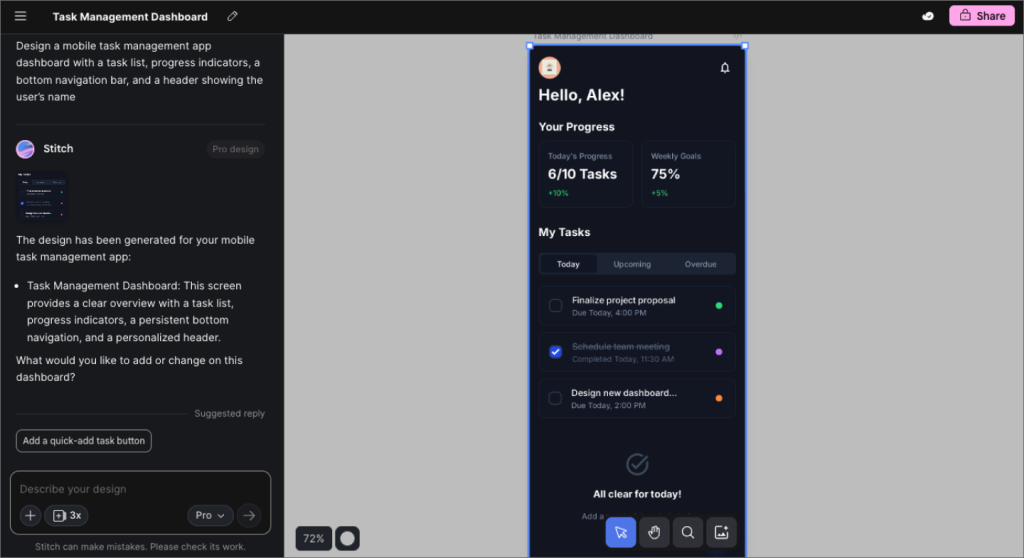
- Intuitive interface: An intuitive interface allows users to navigate the app without confusion. Look for apps that employ simple layouts, recognizable icons, and minimalistic designs. For instance, an app with a clear dashboard can help you quickly access tasks without unnecessary distractions.
- Customization: Customizability is vital to making an app fit your unique workflow. Opt for platforms that allow you to alter settings and features according to your preferences. For example, some apps enable you to color-code tasks or create specific categories, which can enhance your focus and efficiency.
- Seamless integration: The ability to sync with other tools is a necessity in today’s interconnected digital landscape. Apps that integrate with calendars, emails, or even project management software can save you time and create a smoother workflow. For example, if a task manager syncs with Google Calendar, you can automatically reflect deadlines and reminders in your scheduling, keeping all your commitments in one place.
Popular Organizational Apps
Several highly-rated apps stand out in the organizational realm, namely:
- Todoist: This task management app is distinguished by its ability to help users prioritize effectively through a straightforward interface and powerful organizational features. With options to set deadlines, reminders, and even recurring tasks, it’s an excellent choice for managing both personal and professional responsibilities.
- Evernote: Renowned for its versatility, Evernote excels in note-taking and information organization. Users can save web articles, take notes, and create to-do lists, all stored in a searchable format. This app is particularly useful for students and professionals who need to gather and organize a variety of information.
- Trello: Trello provides a visual approach to project management through its use of boards and cards. This layout makes it simple to track progress, assign tasks, and visualize workflows, making it especially popular among teams and collaborative efforts.
By thoroughly evaluating the user experience of these exemplary tools, you can discover what fits your needs best and initiate a more organized lifestyle. Exploring and understanding these UX tips can catalyze your ability to streamline daily activities, ultimately leading to an improved sense of order and control in your everyday life.
DISCOVER MORE: Click here for top free AI tools
Identifying Your Organizational Needs
Before diving into the vast pool of apps to organize your life, it’s crucial to take a step back and assess your specific organizational needs. Different individuals have unique challenges, and recognizing your personal requirements helps you filter through options effectively. Are you seeking a solution for project management, personal task lists, or keeping track of your wellness goals? Understanding the focal points of your organization can drastically streamline your search.
Assessing Your Task Management Styles
One size does not fit all when it comes to task management. By identifying your natural planning style—whether you gravitate towards checklists, detailed project timelines, or a more visual approach—you can hone in on apps that resonate with these preferences. Here are popular organizational styles to consider:
- Linear thinkers: If you prefer straightforward lists, look for apps that emphasize linear task management. These tools will allow you to create to-do lists with deadlines and priorities, making it easy to visualize what needs to be accomplished each day.
- Visual planners: For those who thrive on visual aids, apps with kanban boards or mind mapping capabilities can be game-changers. Tools like Trello utilize cards on boards, helping to track projects and visualize stages at a glance.
- Detail-oriented organizers: If you require a granular approach, focus on apps that allow for sub-tasks and categorization. Features like notes within tasks or tags for easy retrieval can enhance clarity and structure in your planning.
By acknowledging your personal organization style, you can sift through apps more efficiently, ensuring that the end result aligns with how you best operate.
Prioritizing Flexibility and Scalability
Another aspect that shouldn’t be overlooked is the flexibility and scalability of the apps you consider. As life evolves, your organizational needs may change, and so should your tools. Explore apps that provide room for expansion or adaptation; for instance, if you start with basic task management but later wish to incorporate project planning or collaboration, ensure the app can accommodate that growth. This foresight can save you the hassle of migrating your data to a new platform as your requirements shift.
Ultimately, your choice of organizational apps should not only reflect your current tasks and responsibilities but also evolve alongside your lifestyle. By taking the time to identify your organizational needs and evaluating features with flexibility in mind, you lay the groundwork for selecting apps that will not just serve you today but also in the future.
In the ever-evolving landscape of productivity tools, understanding user experience (UX) is crucial for selecting apps that genuinely enhance your day-to-day life. Good UX design ensures that an app is not only functional but also intuitive and enjoyable to use. Factors like navigation flow, visual design, and ease of access can drastically alter a user’s interaction with an application. A well-structured app minimizes frustration and maximizes productivity by allowing users to focus on their tasks rather than struggle with the tool itself. One prevalent aspect to consider when evaluating organization apps is customization. Many tools offer personalized features that align with individual habits and workflows. Some apps allow for tailoring dashboard layouts, color themes, and notification settings, creating an environment that resonates with the user’s lifestyle. This personal touch can lead to a more engaging experience and potentially improve retention rates.Additionally, the integration capability with other software can greatly enhance the utility of an organization app. Users are often seeking seamless connectivity between various platforms (like calendars, email services, and task managers). Options that synch with popular tools streamline workflow and ensure critical information is always at hand – a crucial advantage in managing projects efficiently.Moreover, user feedback and reviews can provide insights into potential pain points, revealing which apps truly meet user needs. Analyzing these details helps in identifying apps that prioritize user satisfaction and continuous improvement. Therefore, when choosing apps to streamline your life, prioritize those that emphasize a positive UX, offer flexible customization options, and integrate smoothly with other platforms.
| Category | Key Features |
|---|---|
| Customization Options | Enhanced user engagement and tailored experience. |
| Integration Capabilities | Streamlined workflows by connecting with other essential apps. |
DISCOVER MORE: Click here to learn how AI tools can streamline your life
Exploring Key Features for Enhanced Efficiency
When choosing apps to organize your life, understanding which features will enhance your productivity is paramount. A simplistic interface, intuitive navigation, and powerful functionalities are among the cornerstones that elevate user experience. As you evaluate various options, consider these essential features that can help you achieve optimum organization.
Cross-Platform Compatibility
In an increasingly mobile world, your organizational app needs to be available across multiple platforms. Whether you’re using a computer at work, your phone on the go, or a tablet at home, ensuring cross-platform compatibility can keep your tasks synchronized seamlessly. Apps like Todoist and Microsoft To Do flourish in this domain by providing robust desktop versions along with mobile apps that sync your activities in real time. This uniformity means that no matter where you access the app, your organizational strategy remains intact.
Collaboration Capabilities
If you often work with others—be it on projects with colleagues or planning events with friends—collaboration features are crucial. Look for apps that enable you to share tasks, set deadlines together, and communicate seamlessly within the platform. Tools like Asana and Notion excel with such features, allowing team members to leave comments, assign duties, and maintain a clear direction towards collective goals. These functionalities can transform a simple task management app into a dynamic collaboration hub and keep everyone aligned.
Integration with Other Tools
Today’s organizational tools should seamlessly integrate with others you might already be using. Whether it’s your email service, calendar, or various productivity tools, having the ability to connect these applications can save time and improve workflow. For instance, apps like ClickUp and Trello offer integrations with Google Calendar, Slack, and more, streamlining your processes by eliminating the need to switch between multiple platforms. This connectivity helps in maintaining a holistic view of your tasks and schedules, ultimately making your productivity soar.
User-Friendly Interface
No matter how powerful an app may be, if it’s challenging to navigate, you’re unlikely to use it effectively. Therefore, a user-friendly interface is essential. When testing various apps, pay attention to how easily you can access various functionalities. Does the app support easy task creation? Is it effortless to categorize or prioritize tasks? Tools like Evernote are praised for their simple, intuitive interfaces, allowing users to focus less on navigating the app and more on getting things done.
Customization and Personalization Options
Being able to tailor an app to fit your lifestyle can make a significant difference in your organization journey. Explore apps that allow for customization and personalization, whether it’s creating recurring tasks, using color-coded labels, or modifying notification preferences. An app like Todoist excels in offering customization to match individual workflows, enabling users to categorize tasks in ways that resonate with their thought process. The more personalized your app is, the more likely it is to become a vital part of your routine.
With these features in mind, you can navigate the landscape of organizational apps with greater clarity. By focusing on cross-platform compatibility, collaboration capabilities, integration with other tools, user-friendly interfaces, and customization options, you’re setting yourself up for success in achieving a more organized life. So dive into the world of apps designed with your needs in mind, and discover the tools that can truly transform your productivity experience.
DIVE DEEPER: Click here to enhance your productivity
Conclusion: Transform Your Productivity with the Right Apps
In the quest to enhance our daily productivity, apps to organize your life have emerged as essential tools in the modern age. As we’ve explored, understanding what to look for when selecting these applications can dramatically influence your organizational success. The fusion of cross-platform compatibility, collaboration capabilities, and integrations with other tools cannot be overstated. These features ensure a seamless workflow that adapts to your lifestyle, whether at home, in the office, or on the go.
Moreover, a user-friendly interface allows users to focus on productivity, not the intricacies of navigation. With the inclusion of customization options, these apps can align with individual preferences, making them not just tools, but personalized companions in the journey toward enhanced efficiency. As you evaluate various organizational tools, consider these features as the backbone of a satisfying user experience.
Ultimately, choosing the right apps is not merely about selecting software; it’s about investing in your future productivity. So, take the time to explore, test, and evaluate your options. The perfect organizational app is out there, waiting to help you streamline your tasks, manage your time effectively, and reclaim your day. Dive into the ever-evolving landscape of organizational apps, and transform how you manage your life for the better.
Related posts:
How Time Management Apps Can Transform Your Remote Work
Maximizing Productivity: The Best Apps for Time Management and Your User Experience
Improving User Experience with the Best Free AI Tools
Maximizing Productivity with the Best Free AI Tools: A User Experience Perspective
The Best Apps to Organize Your Life: A User-Centric Approach to Enhanced Efficiency
Organize Your Life: User Experience Insights on the Best Apps for Remote Work

Beatriz Johnson is a seasoned digital lifestyle strategist and green tech writer with a passion for demystifying sustainable technology and eco-conscious living. With over a decade of experience at the intersection of innovation and sustainability, she specializes in topics like smart home solutions, renewable tech applications, and global trends in green digitalization. Through her work on our platform, Beatriz empowers readers to make informed choices about adopting planet-friendly technologies while optimizing their digital lives for both efficiency and environmental impact.